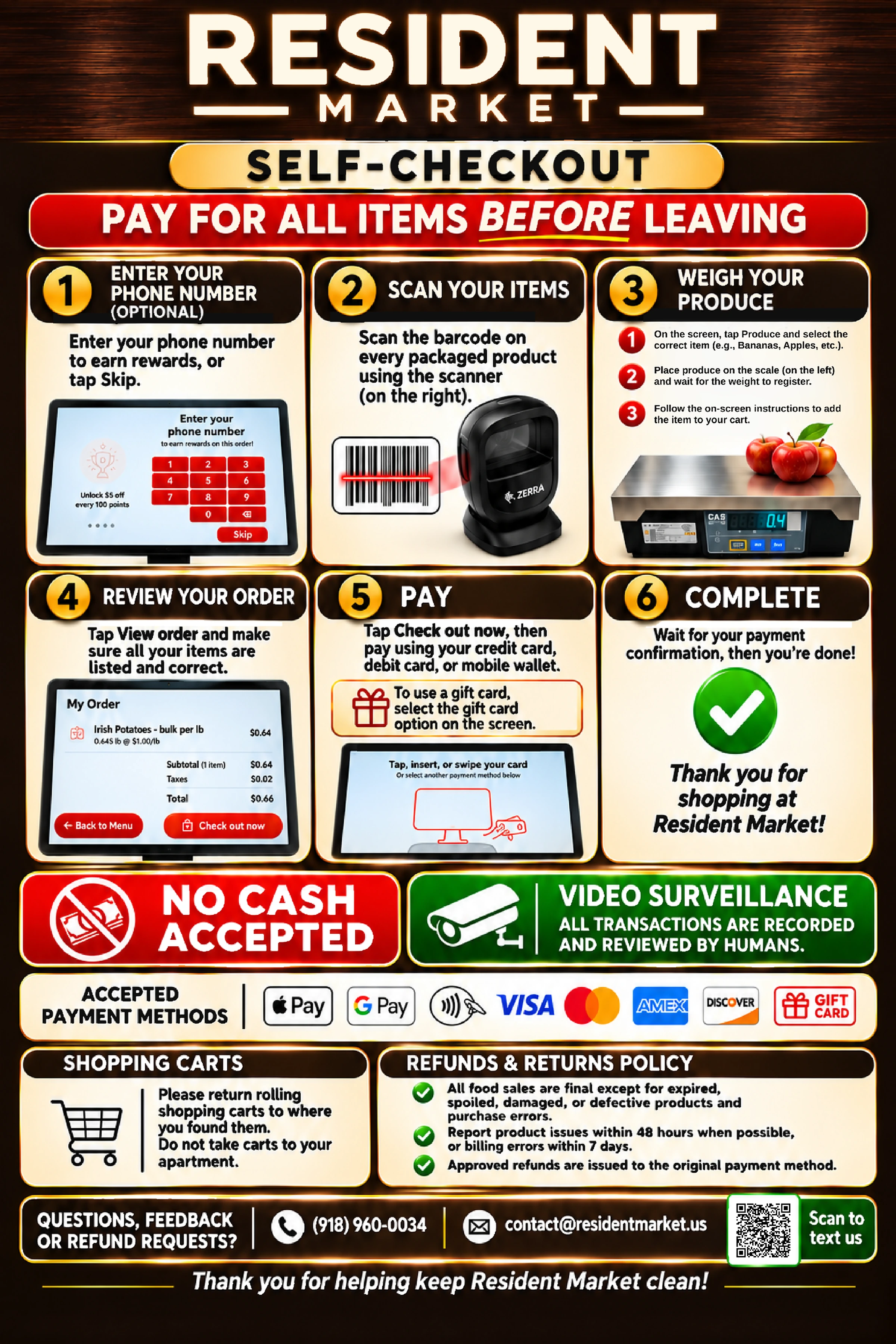
Pay for all items before leaving.
- Enter your phone number (optional). Enter your number to earn rewards, or tap Skip. Earn 1 point per $1 on eligible purchases. Every 100 points unlocks $5 off.
- Scan your items. Scan the barcode on each packaged product with the scanner on the right.
- Weigh your produce. Tap Produce and select the correct item. Place it on the scale on the left and wait for the weight to register. Follow the on-screen instructions to add it to your cart.
- Review your order. Tap View order and check that all your items are listed correctly.
- Pay. Tap Check out now, then pay by credit card, debit card, or mobile wallet. To pay with a gift card, select the gift-card option.
- Complete checkout. Wait for the payment confirmation before you leave.
Payment is cashless. Apple Pay, Google Pay, contactless cards, Visa, Mastercard, American Express, Discover, and Resident Market gift cards are accepted.
Shopping carts. Return rolling carts to where you found them. Please leave them in the store.
Video surveillance. All transactions are recorded and reviewed by humans.
Refunds and returns. Food sales are final except for expired, spoiled, damaged or defective products and purchase errors. Report product issues within 48 hours when possible, or billing errors within 7 days. Approved refunds go back to the original payment method.
Questions, feedback, or a refund request? Text (918) 960-0034 or email contact@residentmarket.us.